AI-supported workflows
2026
How we introduced AI-powered guidance into core financial workflows to help professionals focus on judgment, not manual work.
About
This work was done within a newly formed central AI team, focused on introducing targeted, trustworthy AI into core financial workflows.
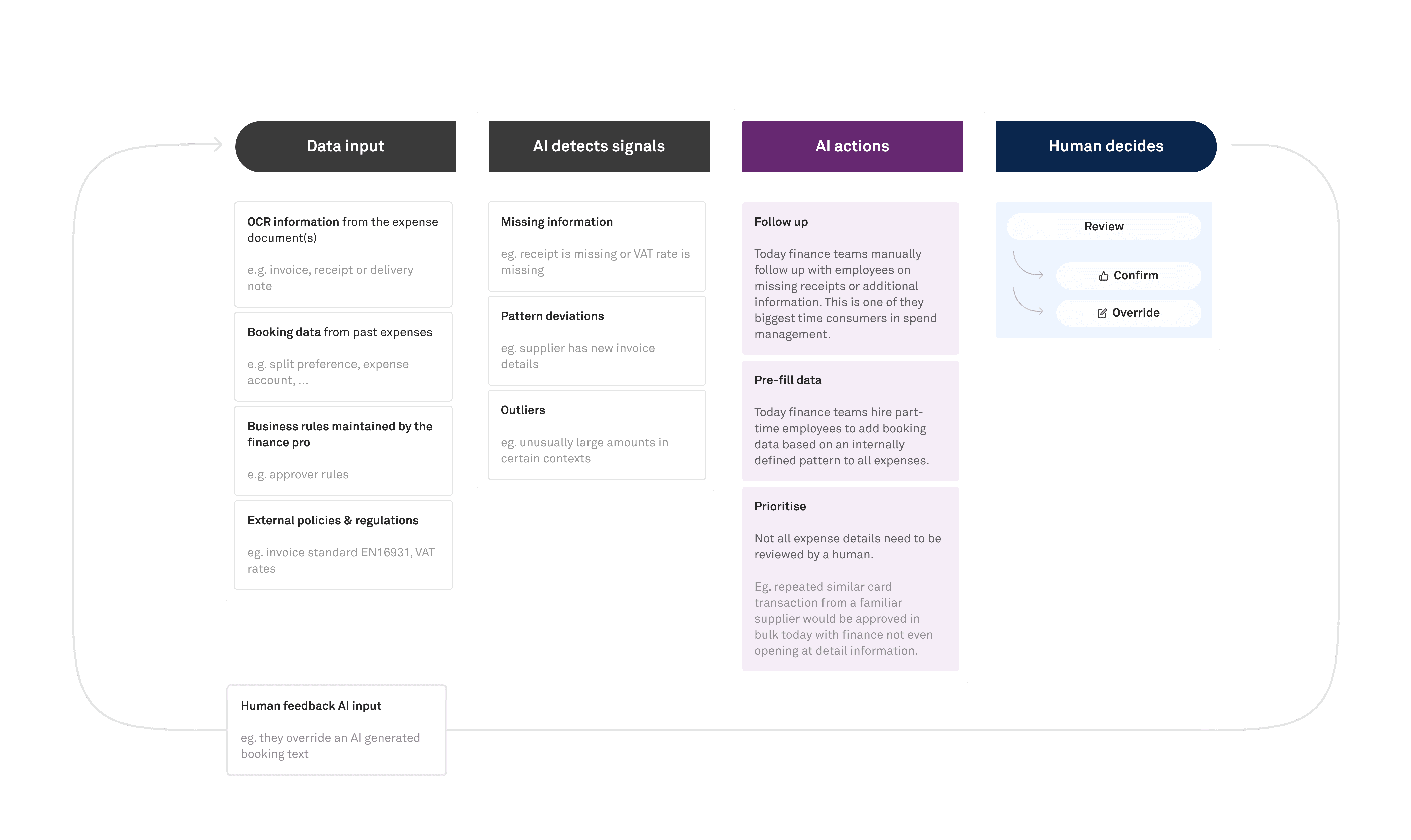
Our goal was to move professionals away from manual data entry and surface-level checks, and towards higher-value decision-making — using AI to surface signals, automate safe actions, and provide contextual guidance where judgment is required.
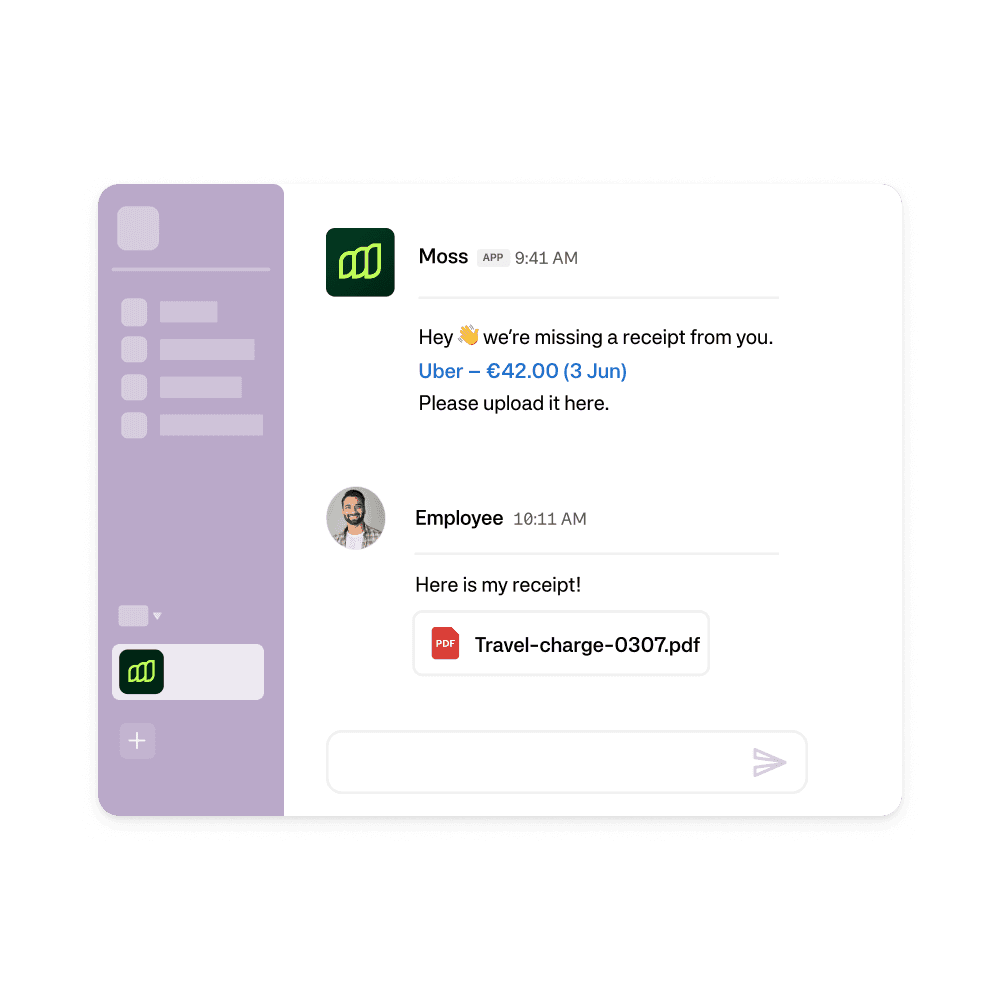
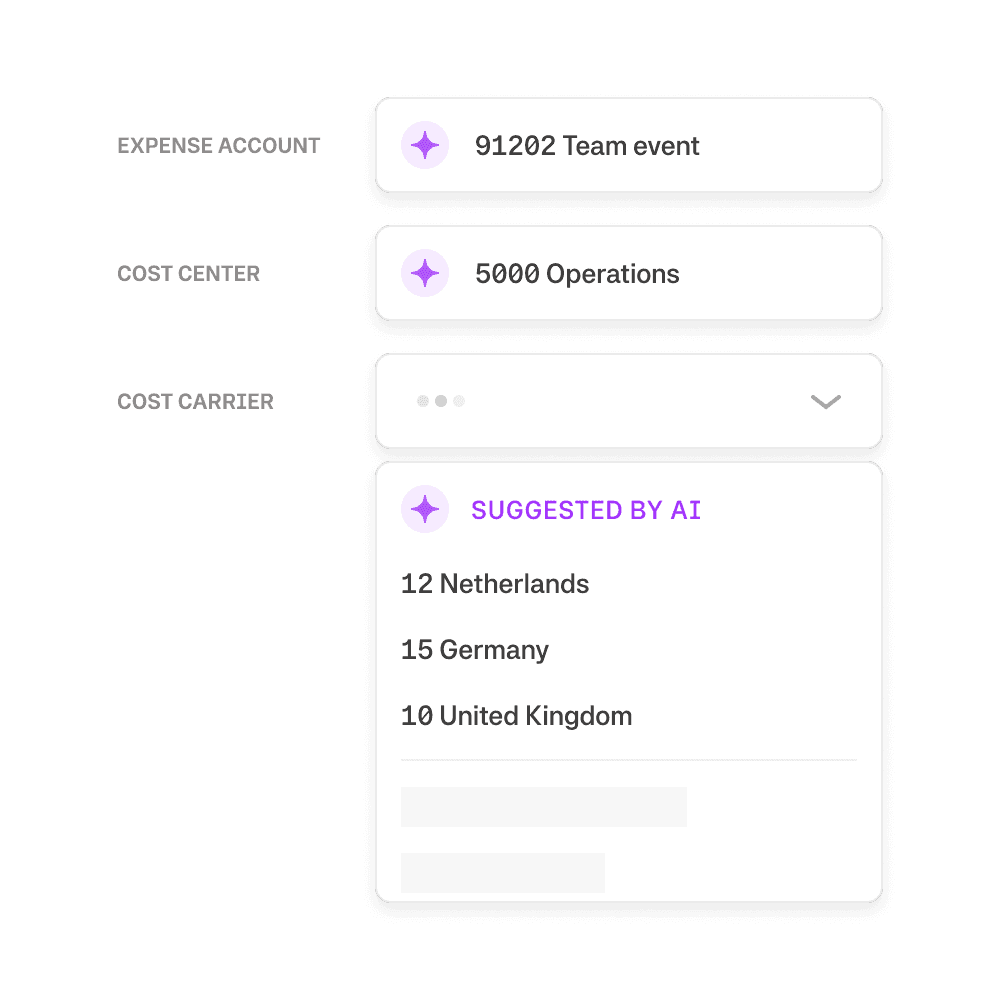
We delivered a first set of AI-supported capabilities that directly impacted how accountants collect information, review expenses, and make approval decisions:
Role
Senior Product Designer (AI workflows)
Team
AI pod
Tooling
Figma, Figma make, Slack, ChatGPT, Linear
01 Receipt chasing agent
Theme Automation and delegation
Focus AI acts on behalf of the user
Problem
Finance teams spend a disproportionate amount of time chasing missing receipts. This task is repetitive, interruptive, and hard to scale.
Increasing the percentage of expenses with attached receipts is a core success metric for the spend management team, but it is also a key operational metric finance teams are measured on. Manual follow-ups via email or chat create friction for both accountants and spenders, and often fail to resolve the issue in time for month-end close.
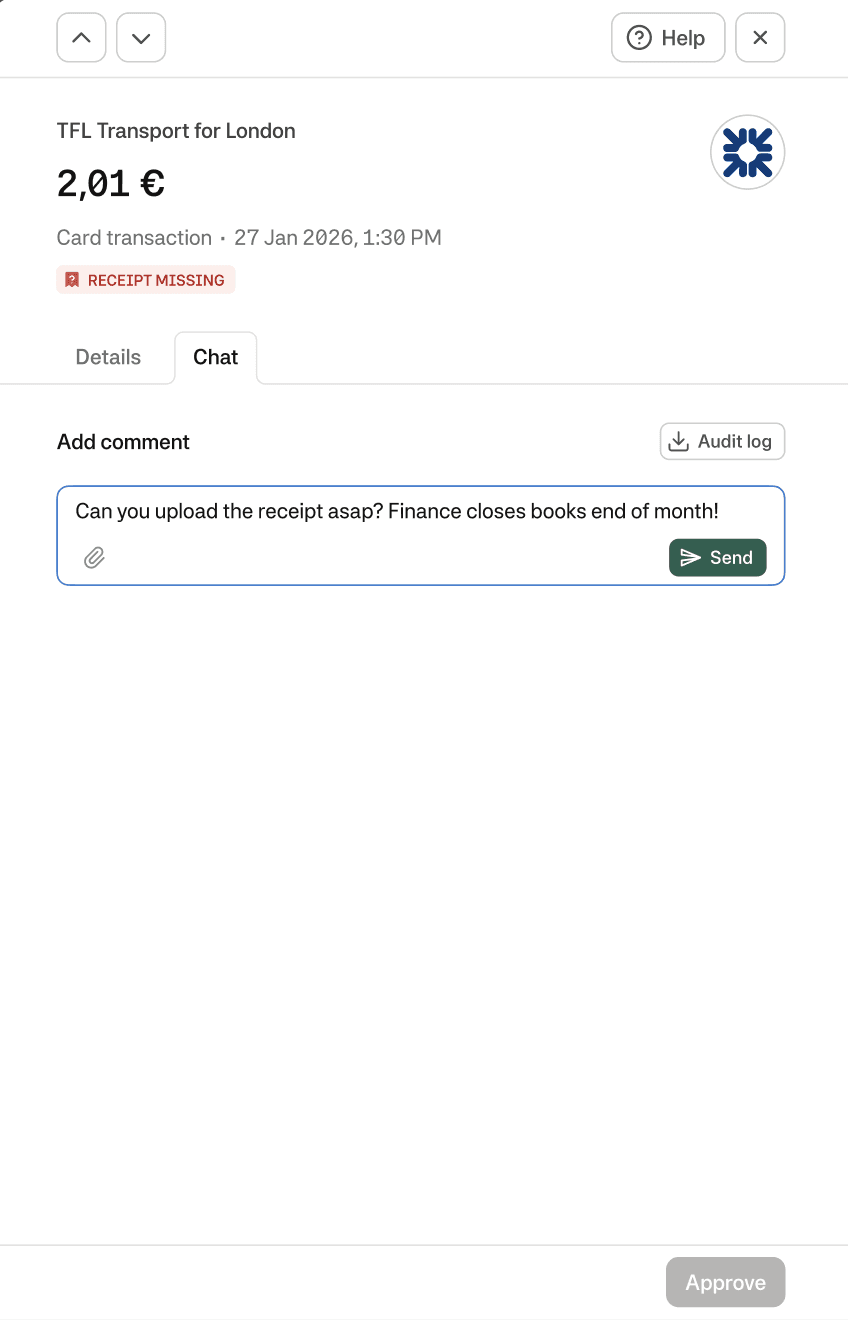
Accountant reaches out to a spender during month-end-closing period
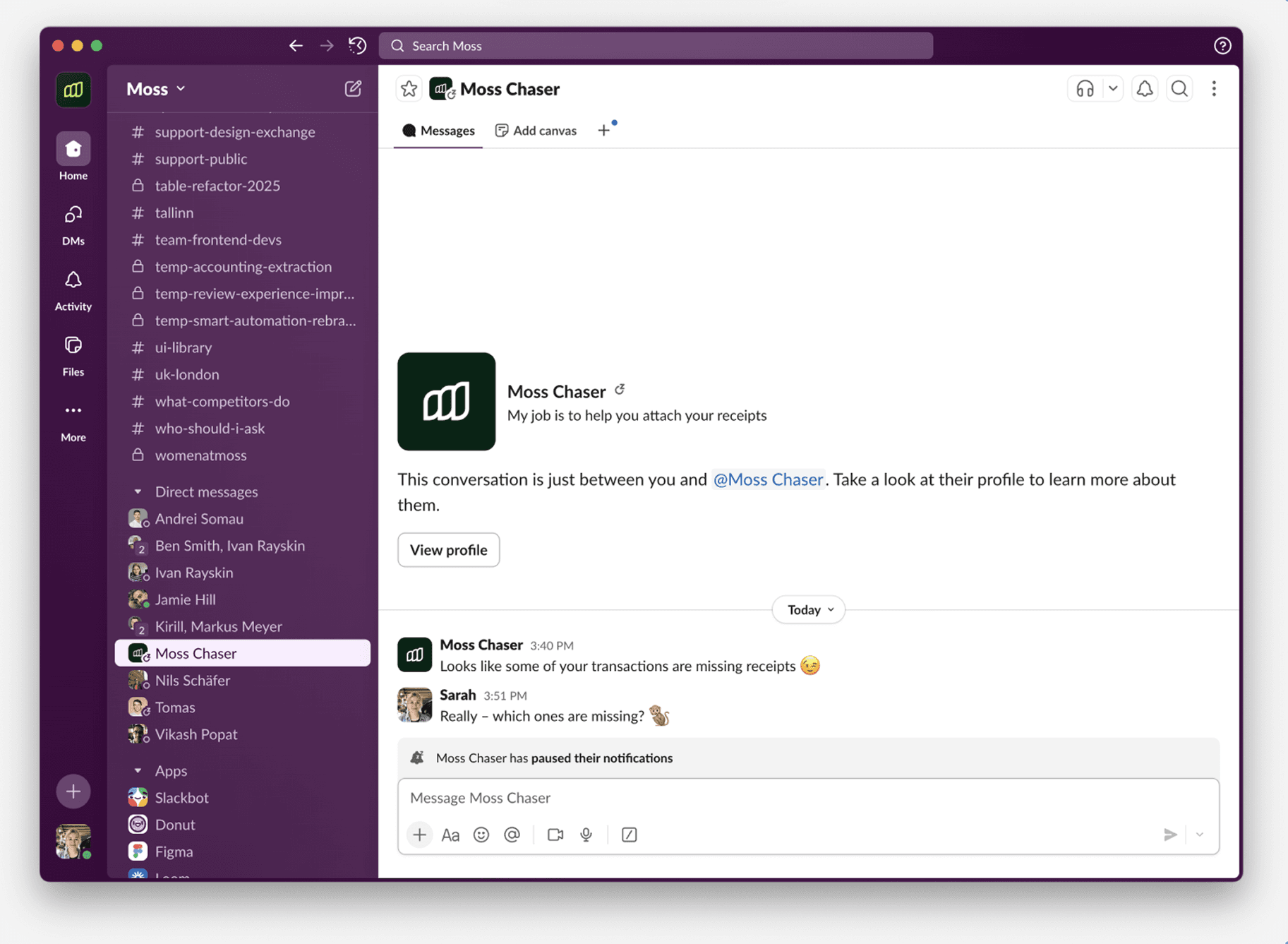
Understanding the human side
Before designing an automated receipt chasing agent, we needed to understand how spenders perceive and respond to being chased, especially when the message comes from a system rather than a human.
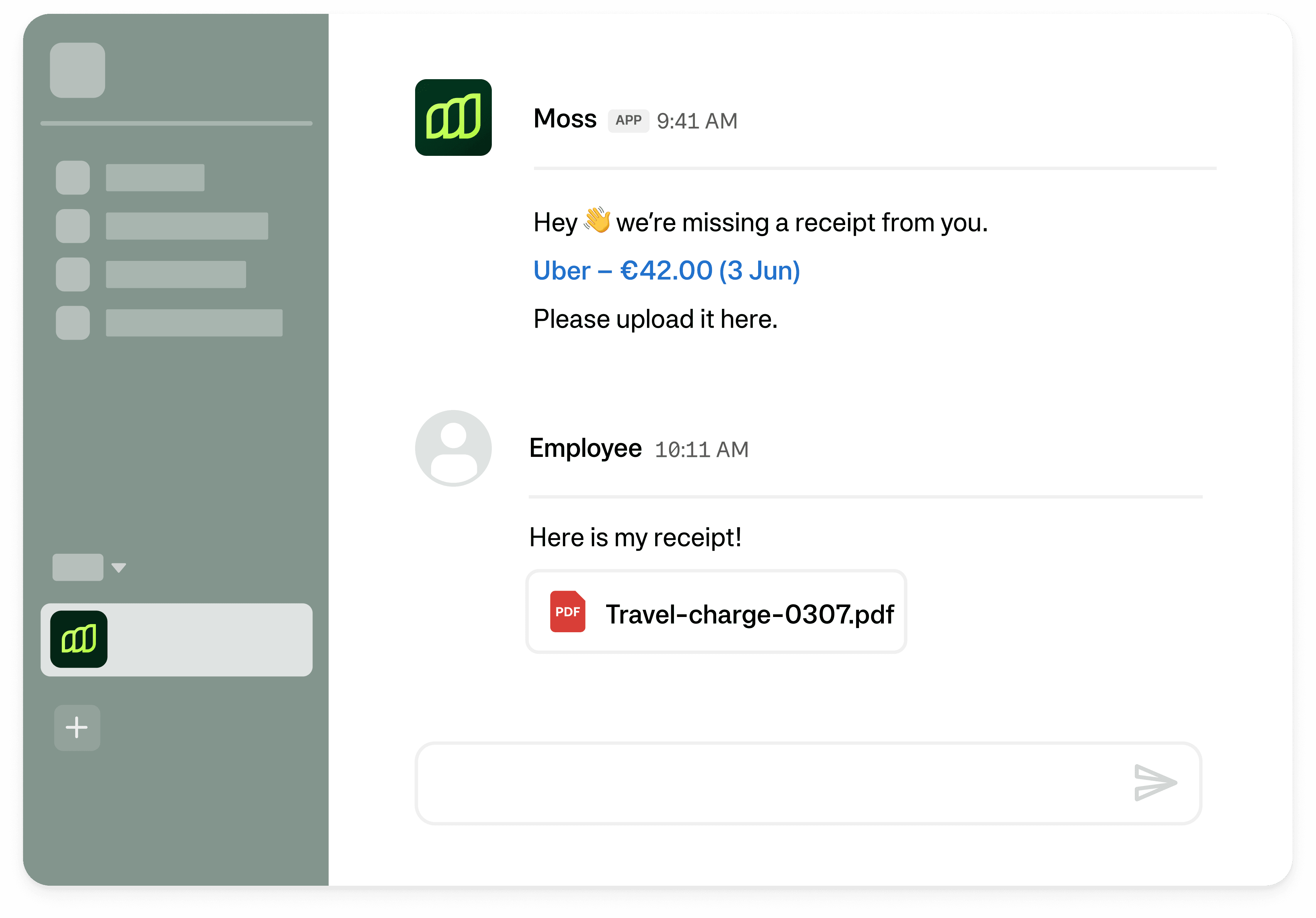
We ran a lightweight Wizard-of-Oz experiment in Slack, where a dedicated “receipt chaser” user manually simulated the agent. Using a scripted but adaptable flow, we reached out to internal spenders of our company to request missing receipts and observed how different strategies affected response rates.
What we learned
The experiment revealed that missing receipts were rarely about unwillingness — they were usually about timing, context, or uncertainty.
💤 Many spenders ignored messages without a clear sense of urgency
Context mattered: Explaining why the receipt was needed (e.g. month-end close) increased responses.
Escalation signals (e.g. involving a manager or policy consequences) changed behavior, but had to be used sparingly.
When people couldn’t upload a receipt immediately, they often forgot – unless given a clear next step.
Offering help (e.g. for lost receipts guiding to the self-issued receipt flow) reduced frustration and drop-off.
*While these are great learnings from the qualitative testing, these experiments are being repeated at scale right now with our beta customers.
Design principles for the receipt chasing agent
🧾 Be direct, not accusatory
Messages should be concise, factual, and action-oriented — without guilt or blame.
🚨 Create urgency through context first and use pressure as last resort
Explain why action is needed (e.g. month-end close), before escalating.
🧭 Never leave users stuck
If the receipt can’t be uploaded, because it is lost or customers don't have it yet always guide the user to an alternative resolution.
*You might wonder how we did apply these principles – and the short answer is we told our AI agent in plain text. The long answer is the data team started with this and iterated on these in various testings.
Accountant touchpoints
While the agent operates autonomously, accountants remain in control of when and how it runs, and can always audit its activity.
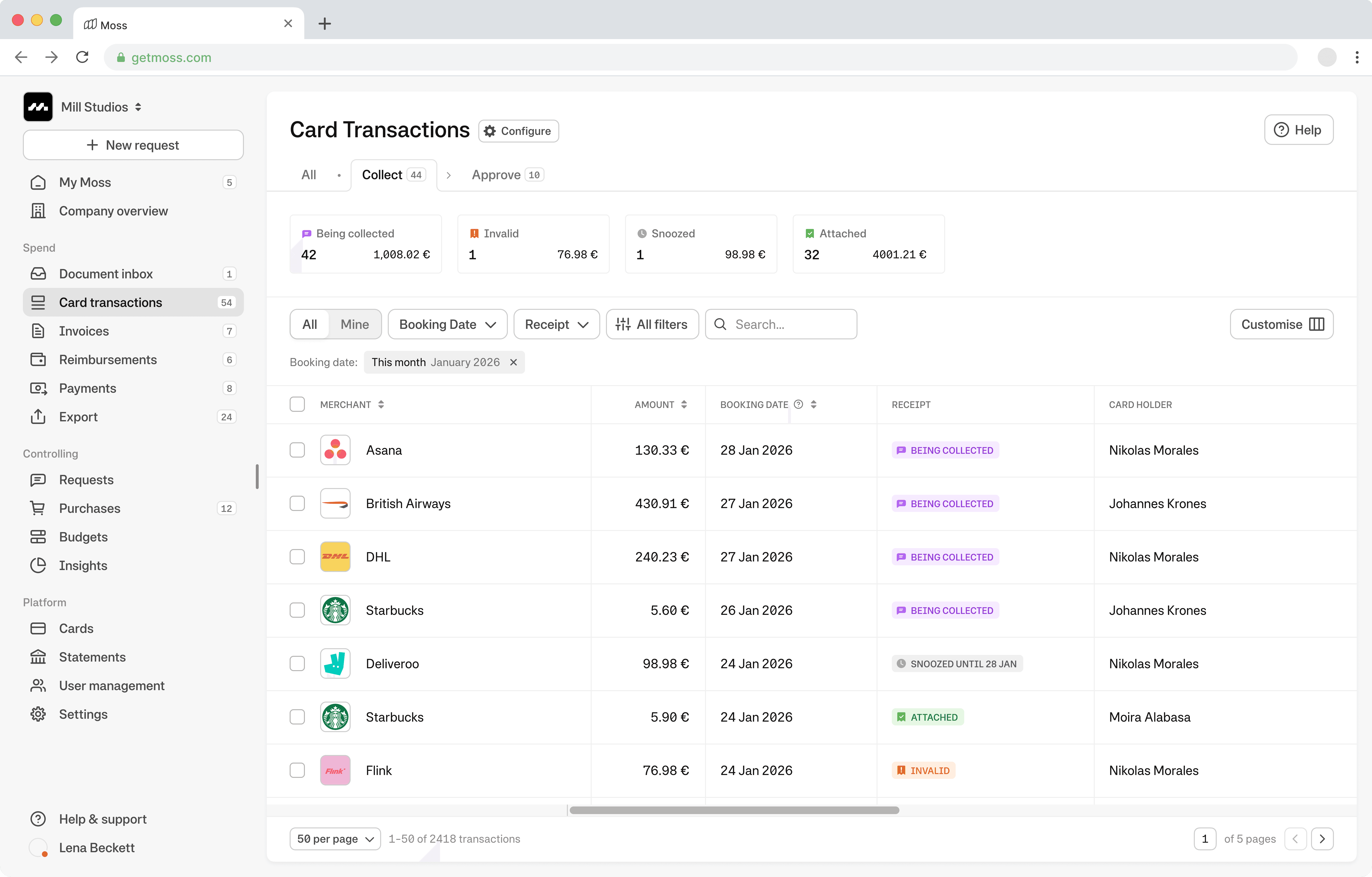
Monitoring multiple receipts: Instead of missing receipts all are now being collected automatically.
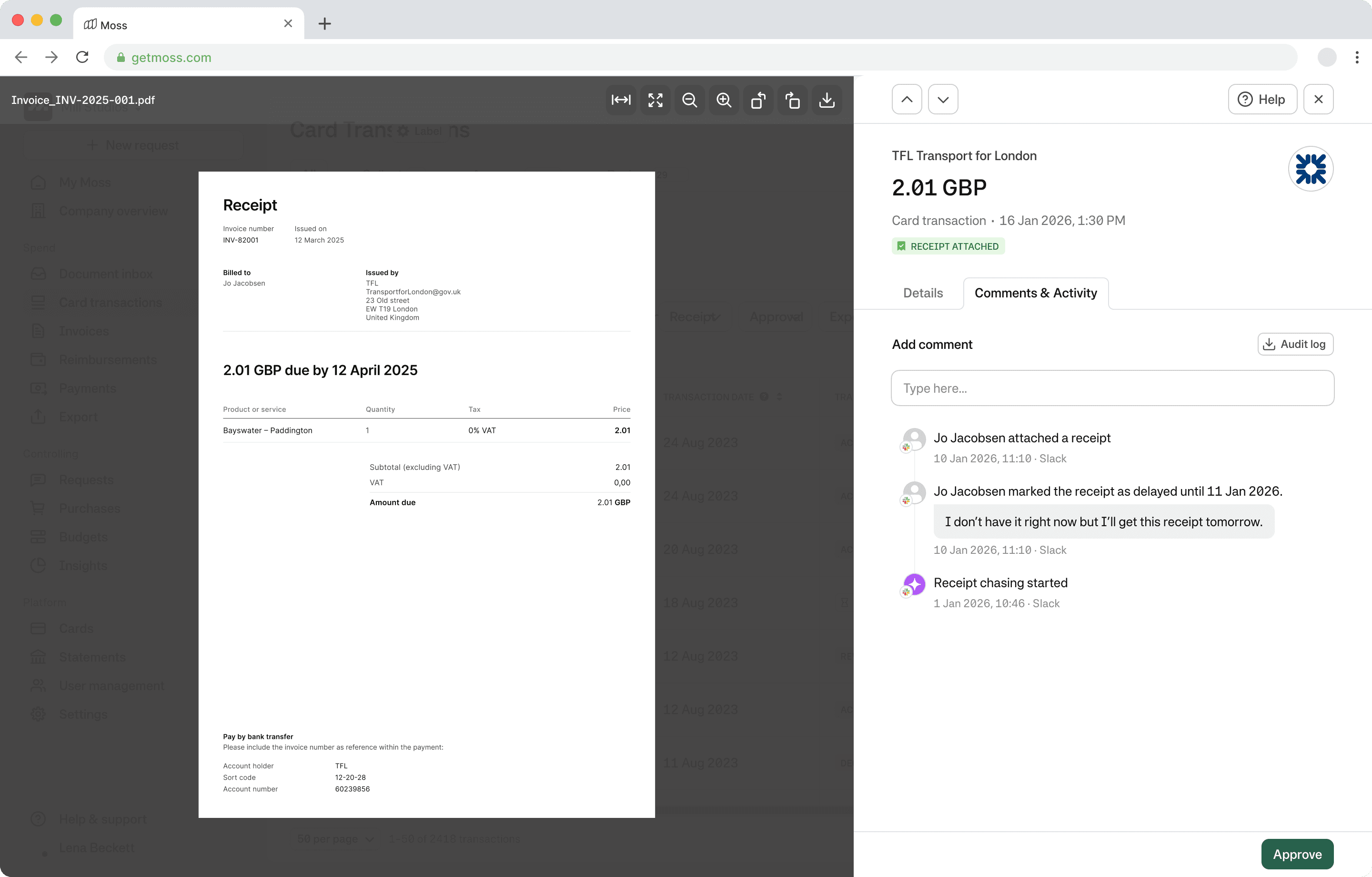
Monitoring one receipt: Instead of the whole conversation, accountants see when the chasing started and when and how it was collected.
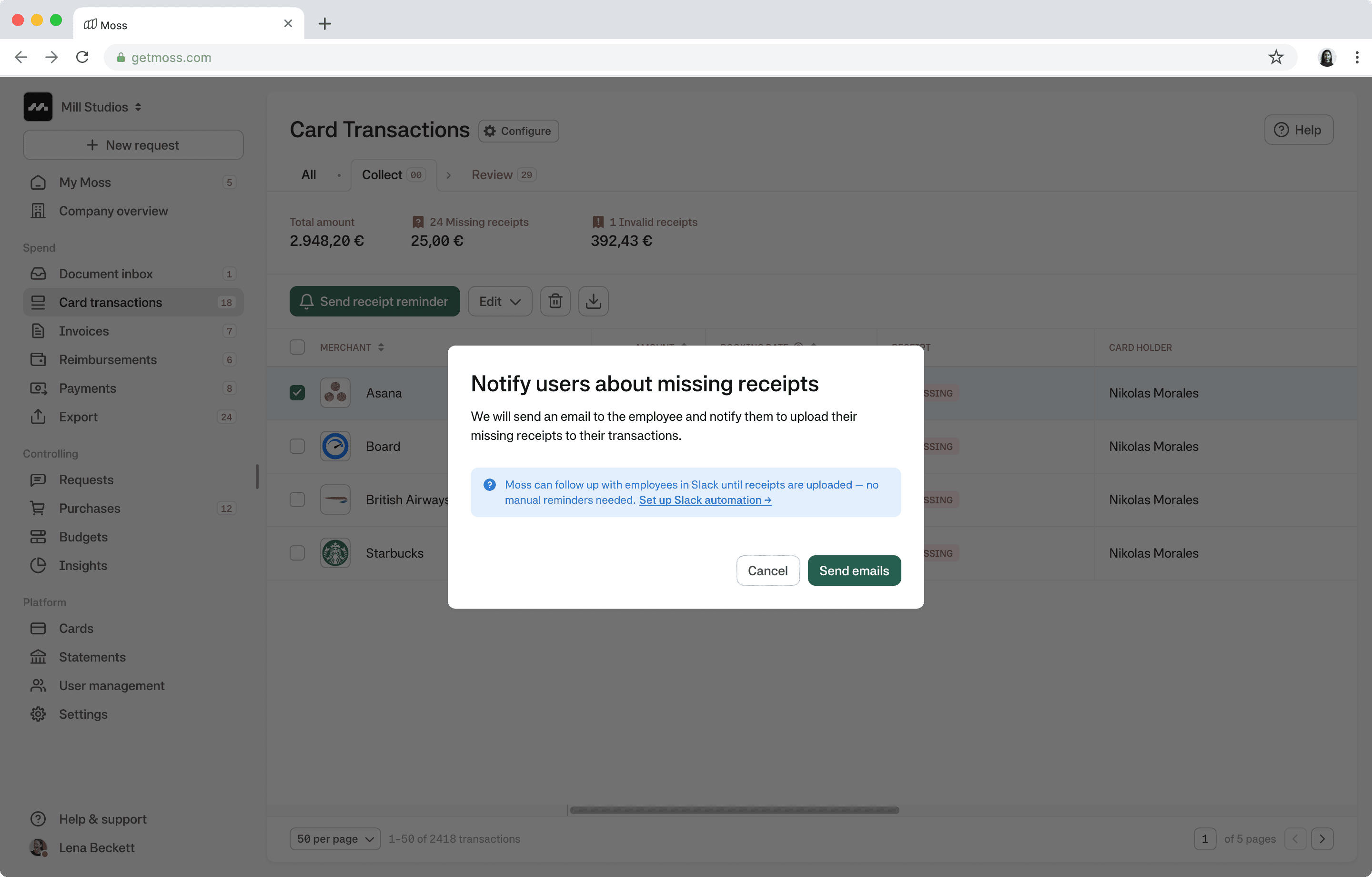
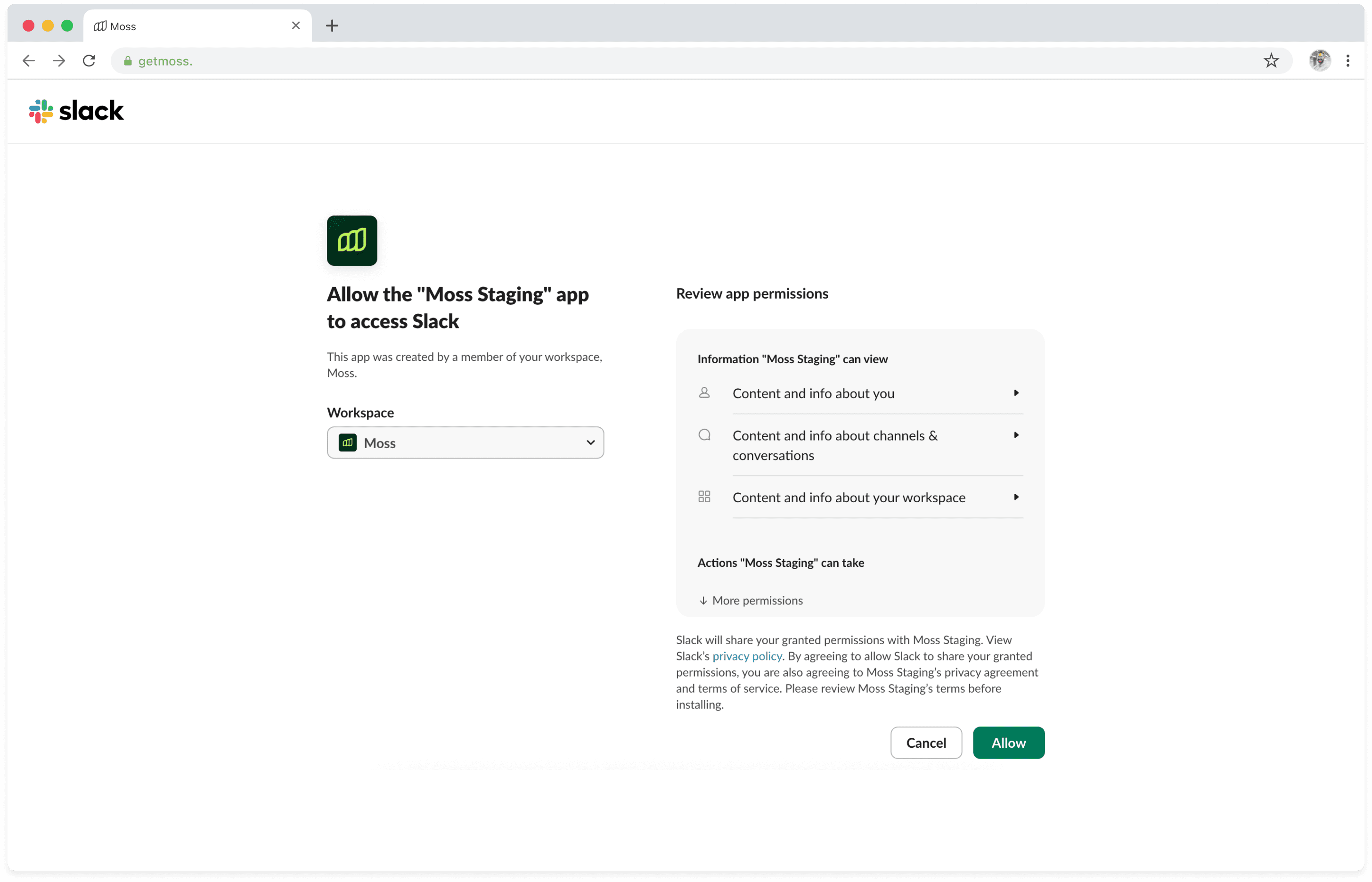
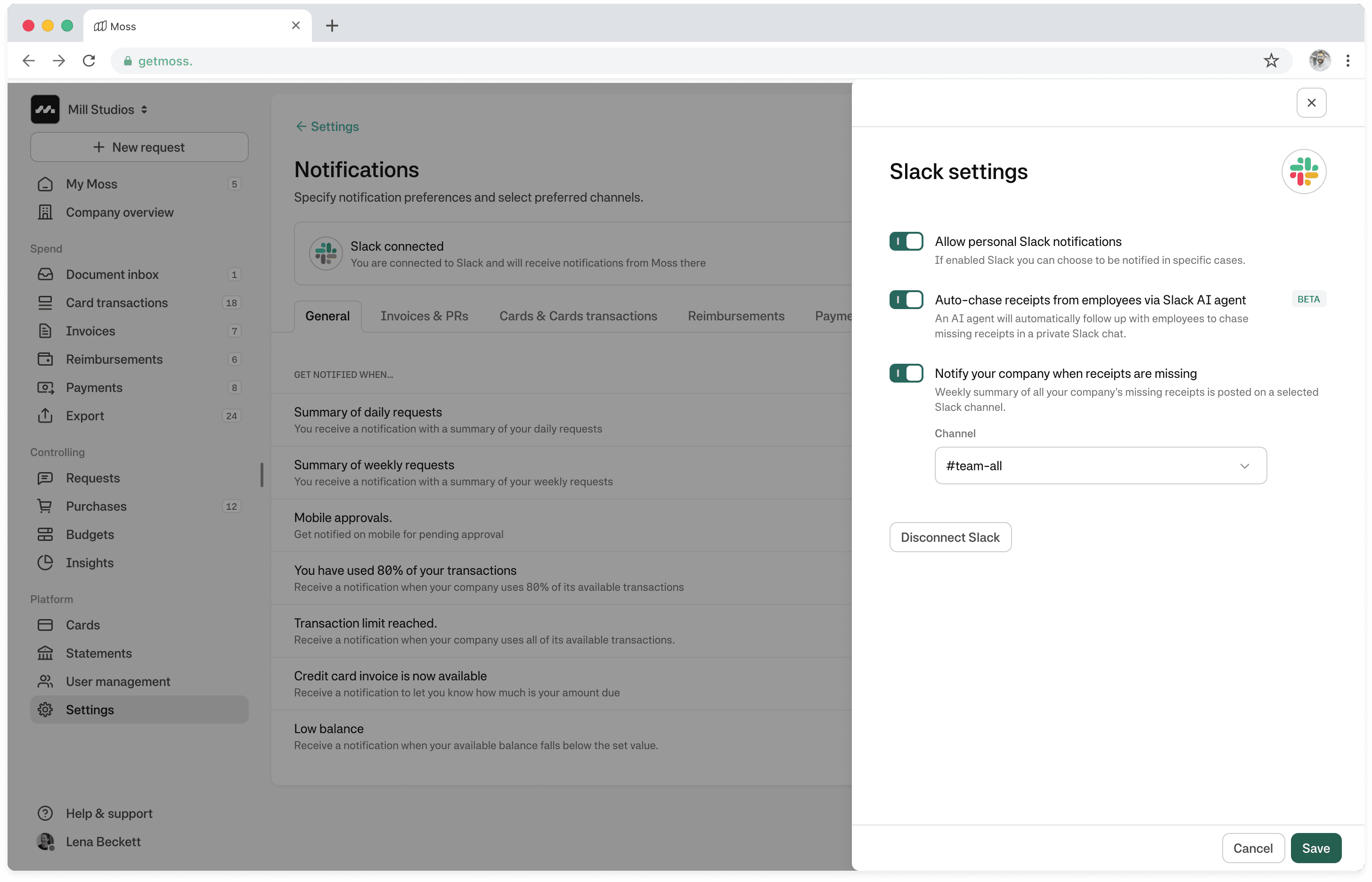
Setup: During their regular chasing activities accountants get nudged to set up automated receipt chasing.
Outcome
The receipt chasing agent significantly reduced manual follow-ups for our own finance team and is currently in a beta phase. We monitor conversations and can see that we are able to maintain a neutral, professional tone that avoids frustration for spenders while successfully collecting receipts.
The work also established a repeatable interaction pattern for future AI agents — combining automation, escalation, and human fallback in a single flow.
02 Outlier detection
Theme Signal & prioritisation
Focus Helping user know where to look
Problem
Hackathon learnings (1 week)
This was a hackathon 1-week project before it became part of a roadmap. Within that project we internally tested with our finance team what can be confidently detected vs. what should remain human judgment.
What we learned:
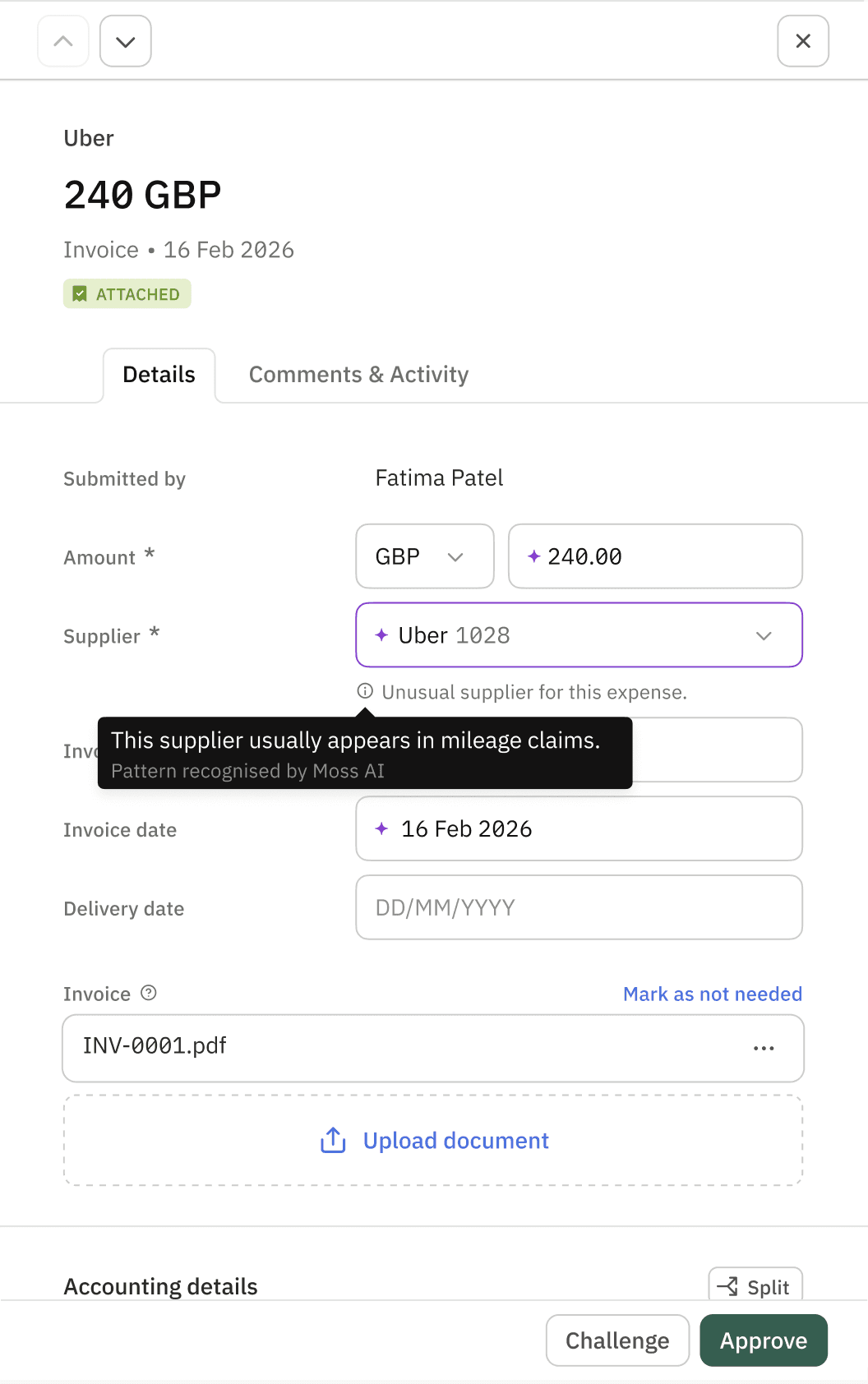
Specific signals outperform generic “this looks unusual” flags
Outlier signals are most valuable in the review stage, less so at final approval
Confidence and explainability matter more than recall
What is an outlier?
We learned early that “outlier” does not mean “error”.
An outlier is a signal, something worth attention in context, not something that should automatically block approval.
Key distinctions we made:
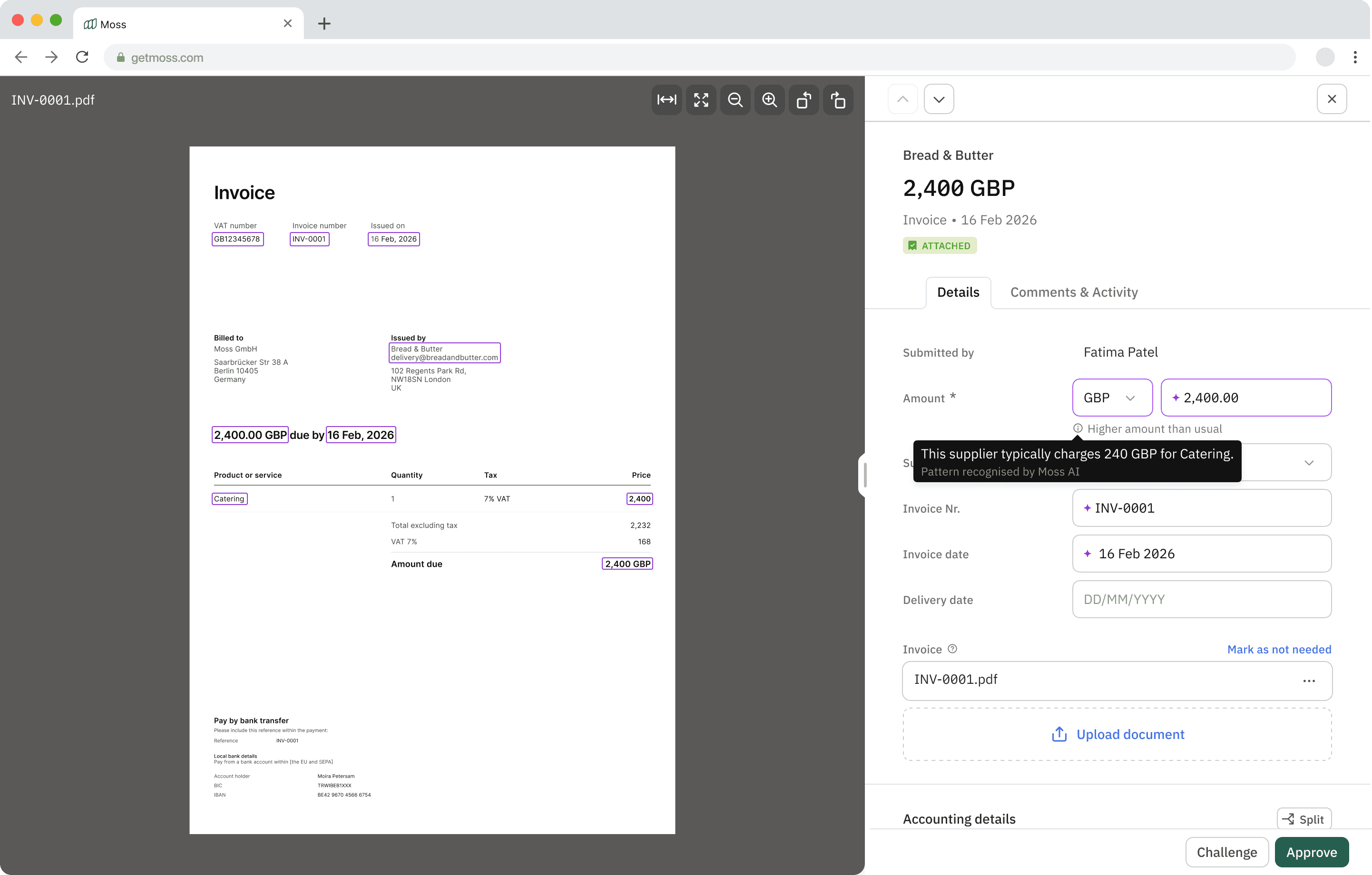
An outlier can be valid (e.g. one-off catering invoice)
The goal is prioritisation, not enforcement
The system should explain why something looks unusual
How outlier detection works (conceptually)
The system compares each expense against historical patterns across supplier, category, amount, and context to detect deviations that may warrant review.
Next steps
Outlier detection helped shift expense reviews from exhaustive checking to focused attention, allowing accountants to spend time where judgment matters most.
There are some things we need to do next:
Improve explainability for low-confidence signals
Explore secondary surfacing (e.g. overview table indicators)
Continue tuning thresholds based on real-world usage
03 Smart suggestions
Theme Augmentation & trust
Focus Supporting decisions without removing control
Problem
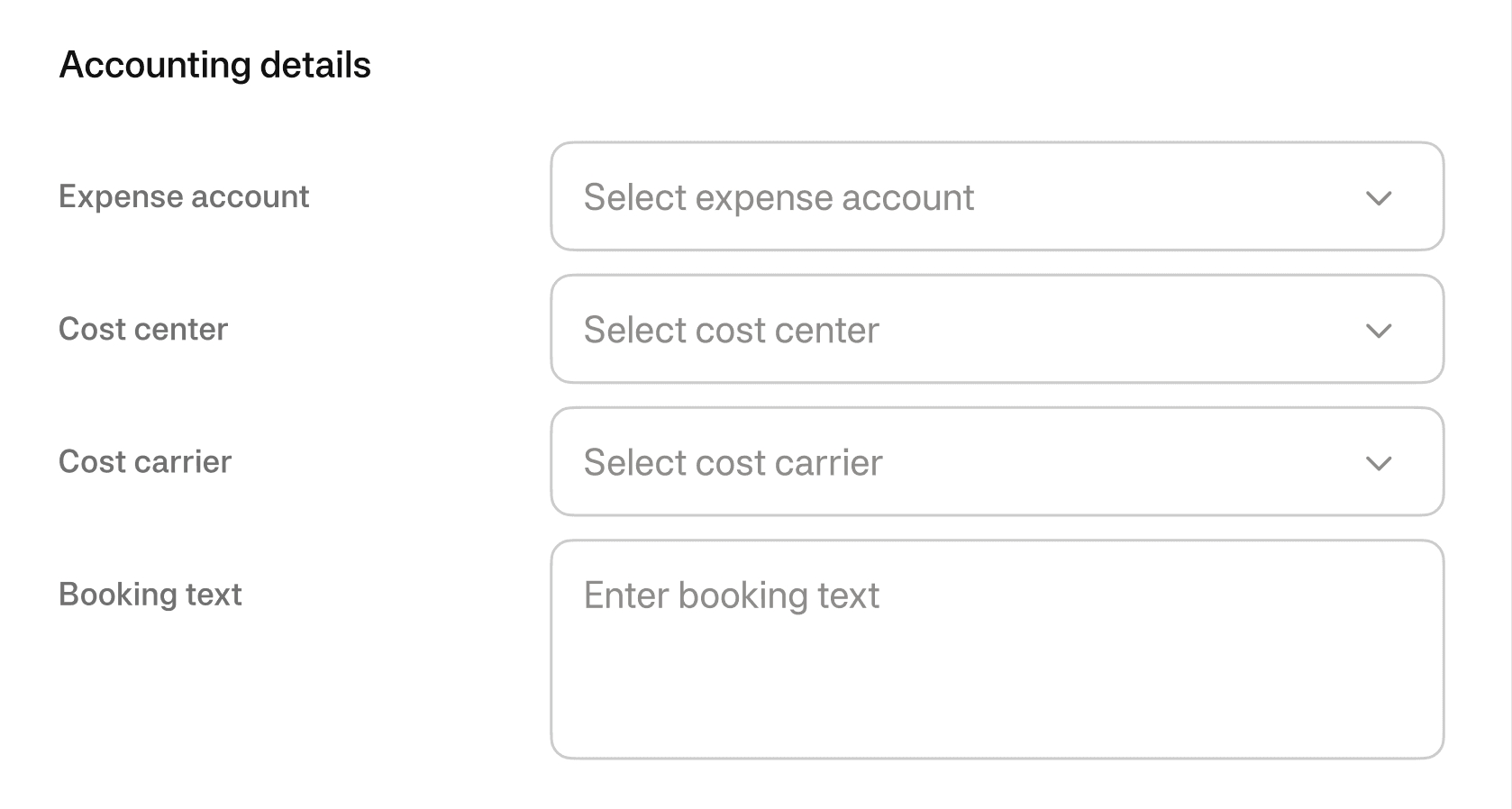
Even when receipts are available and expenses are valid, accountants still spend significant time manually filling in repetitive booking details — expense accounts, cost centers, VAT rates, and booking texts.
This work is:
Highly repetitive
Error-prone
Based on patterns accountants already know by heart
Yet automation has historically been brittle — rule-heavy, hard to maintain, and quick to break when reality changes.
The system suggests. The human decides.
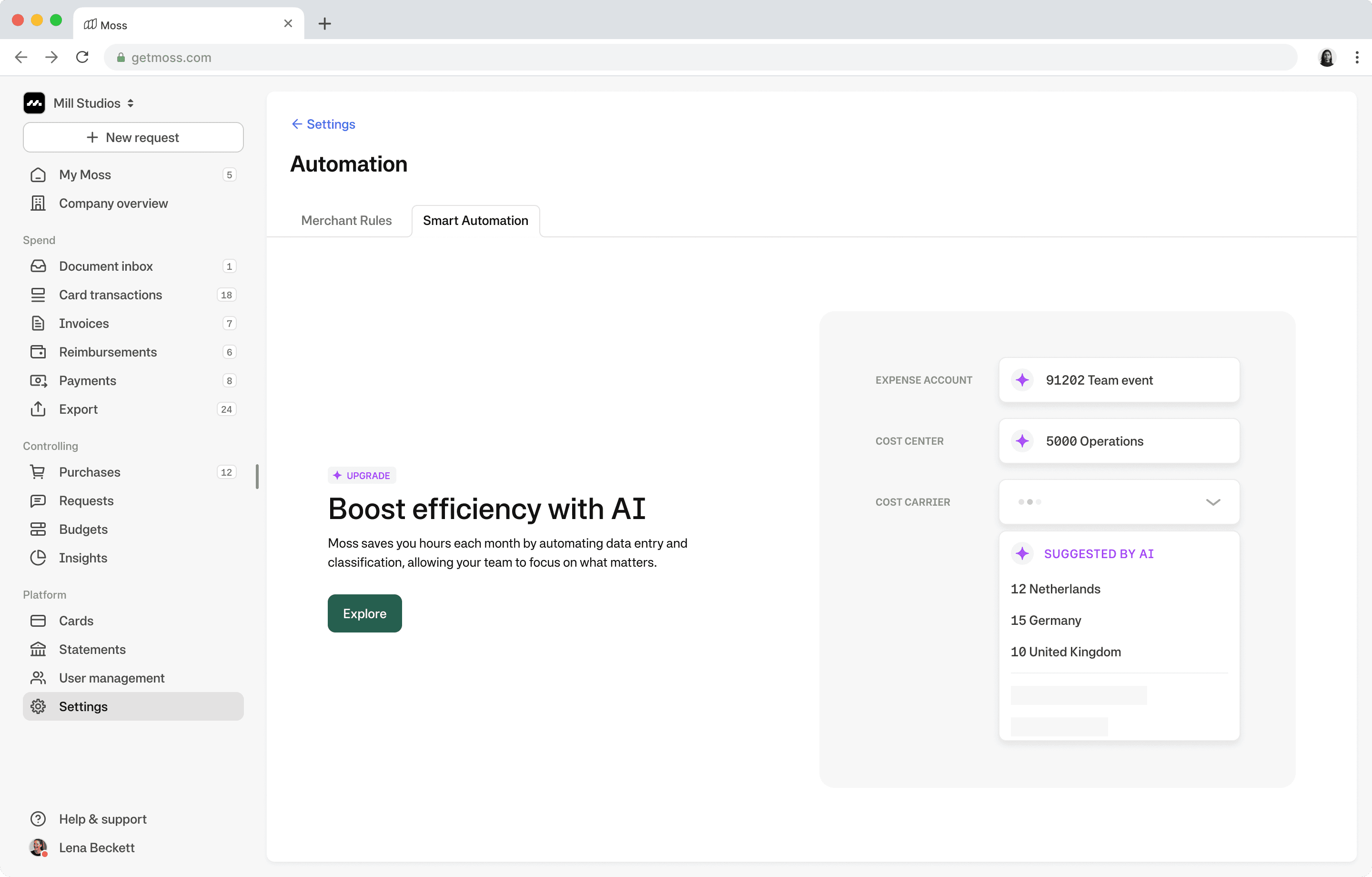
We saw an opportunity to shift from rules-based automation to pattern-based assistance — using historical booking behavior to suggest likely values, without enforcing them.
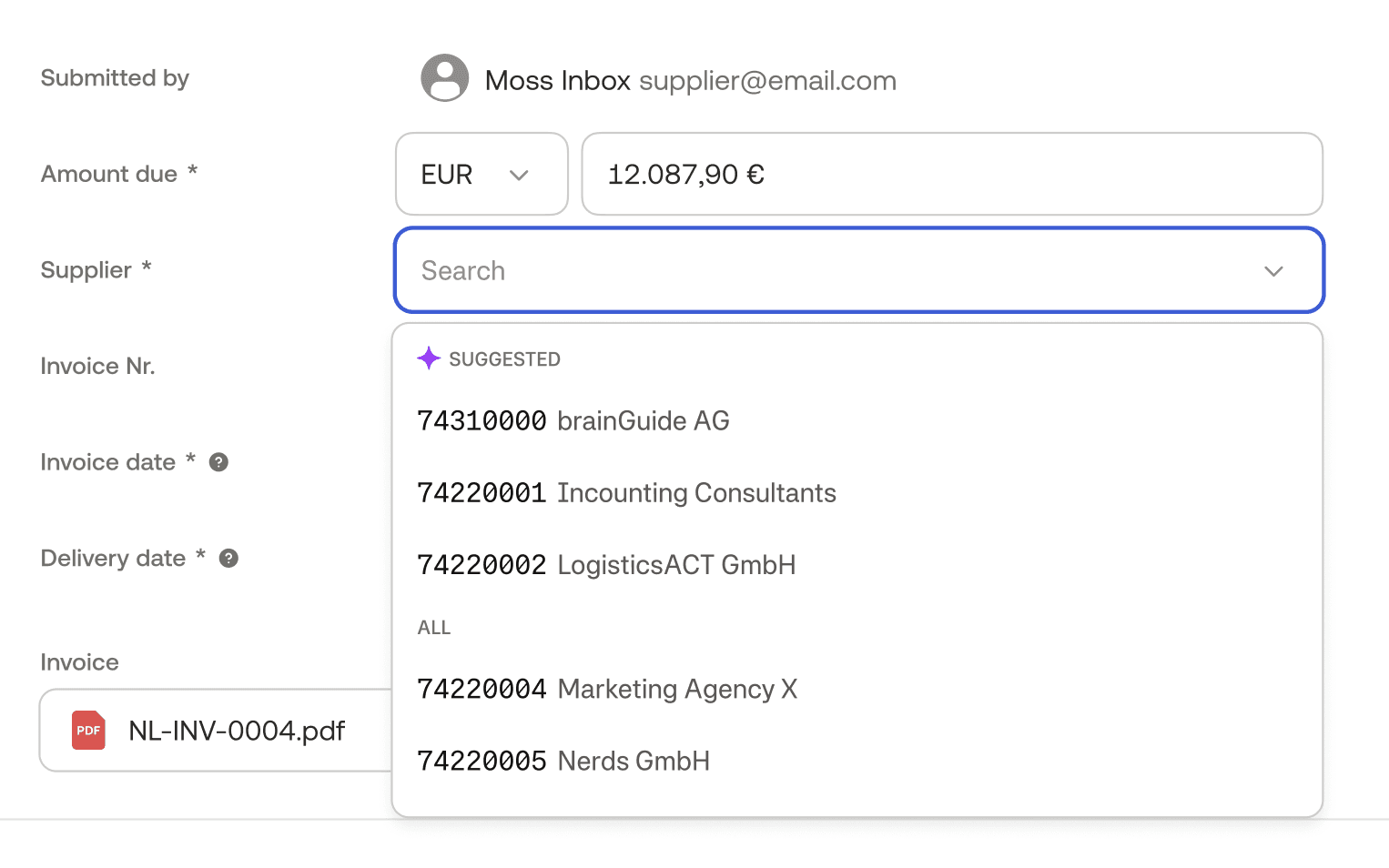
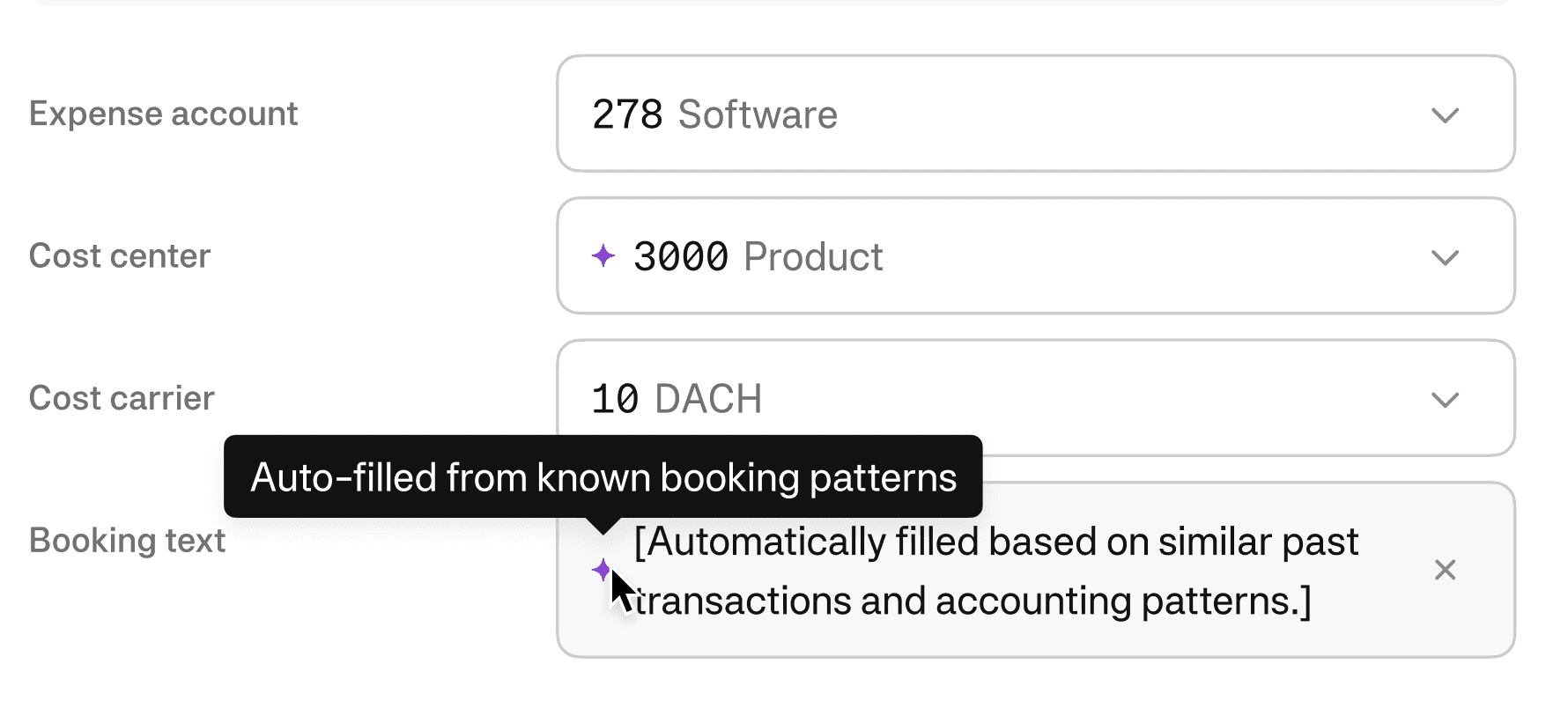
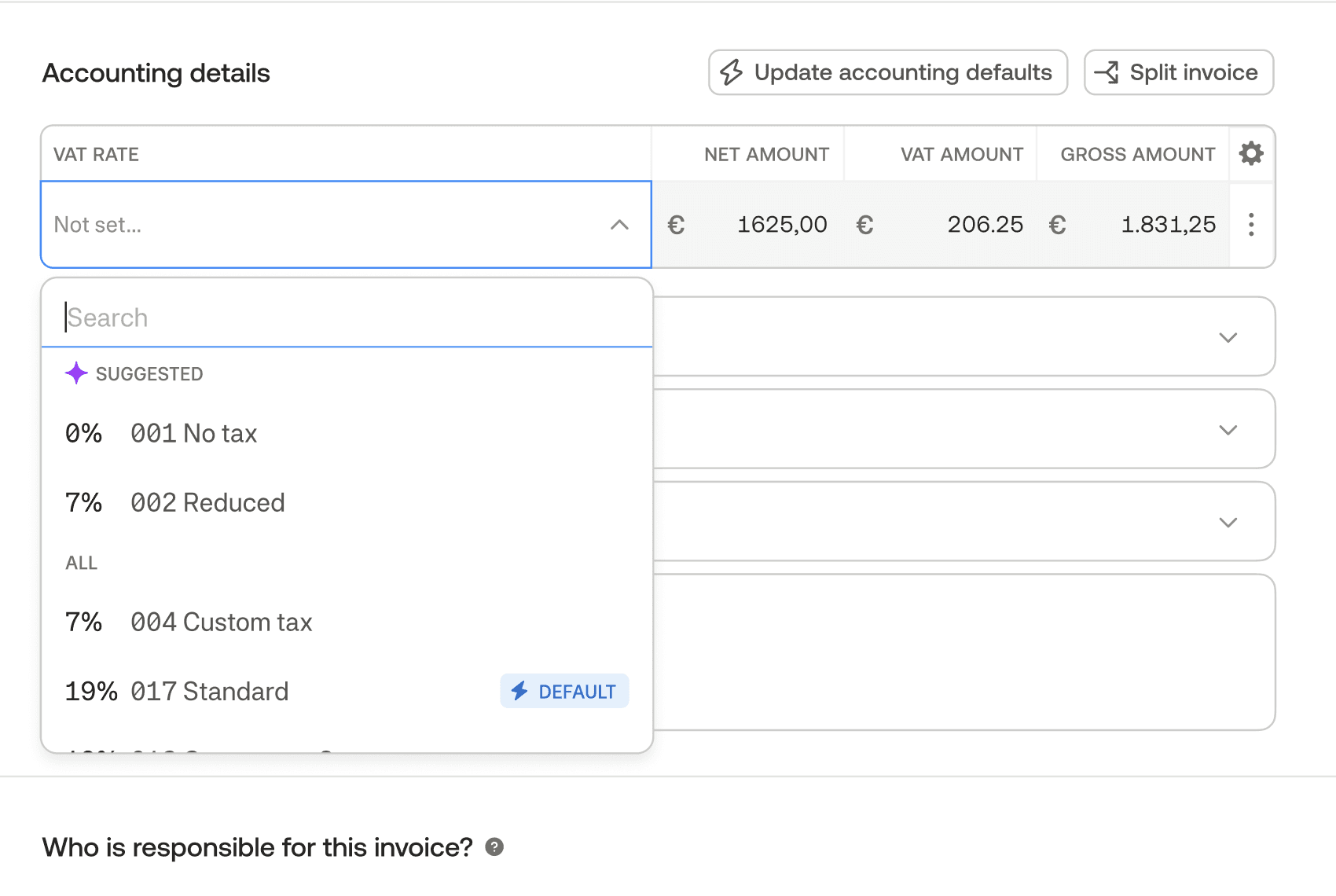
Smart suggestions use historical booking data across similar suppliers, categories, and transactions to predict likely values for individual fields.
Suggested fields include:
Expense account
Cost center
Cost carrier
VAT rate
Booking text
Each suggestion is:
Contextual (based on similar past transactions)
Optional (never auto-committed without review)
Explainable (clearly labeled as AI-generated)
Outcome
Smart suggestions reduced repetitive manual input while preserving the accountant’s role as the final decision-maker.
They work best when:
Combined with receipt automation and outlier signals
Embedded into existing workflows
Clearly positioned as support, not replacement
Smart suggestions helped shift bookkeeping from manual recall to informed confirmation — allowing accountants to move faster without giving up control.